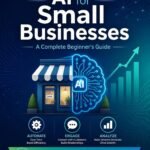
by : maryam
Have you ever felt like you’re drowning in a sea of manual tasks? Whether it’s answering repetitive emails, scheduling social media posts, or trying to keep track of your business expenses, these “little things” often take up the most time.
In 2026, the game has changed. AI is no longer a luxury reserved for tech giants; it is now a vital partner for every small business owner and freelancer. The best part? You don’t need a massive budget to get started. In this article, I will share with you 10 incredible free AI tools that can handle the heavy lifting for you, allowing you to focus on what truly matters: growing your business.
1. Workflow Automation: Connecting the Dots
Automation is about making your apps talk to each other so you don’t have to.
Make.com (Formerly Integromat)
Make is a powerhouse for visual automation. Its free tier is generous, allowing you to create complex “scenarios” where one action (like receiving an email) triggers another (like saving an attachment to Google Drive). It’s perfect for those who like to see their workflows laid out visually

Zapier (Free Forever Plan)
Zapier remains the gold standard for simplicity. With its “Free Forever” plan, you can automate basic tasks between over 6,000 apps. If you need to send a quick “Thank You” message to a new lead from your website, Zapier can do it in seconds without you lifting a finger
2. Content Creation & Marketing: Your AI Creative Team
Content is king, but creating it can be exhausting. These tools act as your personal creative department.
ChatGPT-5 / Claude 3.5
These advanced language models are your ultimate brainstorming partners. Use them to write professional emails, create business plans, or even draft blog posts. They understand context better than ever in 2026, making your communication sound more human and persuasive.
Canva AI (Magic Studio)
Canva has evolved into an AI beast. With its Magic Studio, you can describe a design you want, and the AI will generate it for you. From social media graphics to professional presentations, Canva’s AI ensures your brand looks top-notch even if you aren’t a designer.
Lumen5
Turning a blog post into a video used to take hours. Lumen5’s AI does it in minutes. Simply paste your link, and it will match your text with relevant clips and music, creating a high-quality video ready for TikTok or Instagram Reels.
3. Smart Assistants: Managing Your Daily Grind
Sometimes you just need a personal assistant to keep you organized
Otter.ai
Stop taking notes during meetings. Otter.ai joins your calls and provides a real-time transcript and a concise summary of the key points and action items. This ensures you never miss a detail again.
Calendly (AI Scheduling)
Back-and-forth emails to schedule a meeting are a thing of the past. Calendly’s AI-enhanced scheduling allows you to set your availability and let others book time with you automatically, syncing perfectly with your calendar.
Grammarly Go
More than just a spellchecker, Grammarly’s AI assistant helps you rewrite entire sentences for better tone and clarity. It ensures that every word you publish or send reflects your professional brand
4. Specialized AI for Niche Tasks
Remove.bg
Need to remove the background from a product photo? This tool does it instantly and perfectly using AI. It’s a must-have for e-commerce owners
Tidio AI (Lyro)
If you have a website, Tidio’s AI chatbot, Lyro, can answer up to 70% of common customer questions automatically. It’s like having a 24/7 customer support team for free
How to Choose the Right Tool for Your Business
With so many options, it’s easy to feel overwhelmed. My advice is simple:
- Identify your biggest “Time Thief”: What task do you hate doing the most? Start there.
- Look for No-Code Solutions: You shouldn’t have to learn programming to automate your life.
- Test the Free Tier: Most of these tools offer enough value in their free plans to get your business off the ground

Take Your Automation to the Next Level
If you’re ready to stop just “using tools” and start building a fully automated, AI-powered business system, I’ve got you covered. In my latest book, “Build AI-Powered Business Systems with No-Code Automation: Eliminate Manual Work,” I dive deep into the exact strategies you need to scale your business without the burnout
You can find more about my journey and strategies right here on this blog!
Deep Dive: Comparative Analysis of AI Automation Platforms
To help you make an informed decision, I have compiled a comparison table of the top platforms mentioned above. This will help you see at a glance which tool fits your specific business needs and technical comfort level.
AI Tool Comparison Matrix (2026)
| Tool Name | Primary Use Case | Free Tier Limit | Difficulty Level | Best For |
|---|---|---|---|---|
| Make.com | Visual Workflows | 1000 Operations/mo | Intermediate | Complex Integrations |
| Zapier | Quick Connections | 100 Tasks/mo | Beginner | Simple Automation |
| ChatGPT-5 | Content & Strategy | Unlimited (Basic) | Beginner | Ideation & Writing |
| Canva AI | Visual Branding | 50 Credits/mo | Beginner | Non-Designers |
| Otter.ai | Meeting Notes | 300 Minutes/mo | Beginner | Busy Professionals |
| Tidio Lyro | Customer Support | 50 Conversations | Beginner | E-commerce Owners |
The Hidden Benefits of AI Automation for Small Businesses
While saving time is the most obvious benefit, the impact of AI automation goes much deeper. When you implement these systems, you are essentially “cloning” your most productive self. Here is why this matters in the long run:
1. Consistency Without Burnout
Human energy fluctuates, but AI doesn’t. An automated social media schedule or an AI chatbot provides the same high-quality experience to your customers at 3:00 AM as it does at 10:00 AM. This consistency builds trust and professionalizes your brand.
2. Scalability on a Budget
In the past, growing a business meant hiring more people. In 2026, scaling means adding more “zaps” or “scenarios.” You can handle 10x the amount of leads or customers without increasing your overhead costs, which is crucial for staying profitable.
3. Data-Driven Decision Making
Many AI tools, like those used for marketing automation, provide insights into what is working and what isn’t. Instead of guessing, you can make decisions based on real-time data provided by your AI assistants.
Frequently Asked Questions (FAQ) About AI Automation
I know you might still have some questions. Here are the most common inquiries I receive from business owners looking to transition to AI-powered systems:
Q1: Is my data safe when using these AI tools?
Most reputable AI platforms like Zapier, Make, and OpenAI have strict data encryption and privacy policies. However, always avoid inputting sensitive personal information (like passwords or private financial data) into public AI models. For business operations, ensure you are using the official business versions of these tools.
Q2: Do I need to know how to code to use these tools?
Absolutely not. 2026 is the era of “No-Code.” All the tools mentioned in this guide are designed with a drag-and-drop interface. If you can use a smartphone, you can build an automated business system.
Q3: Will AI replace my job or my employees?
AI is a tool for augmentation, not just replacement. It handles the “boring” and “repetitive” tasks, freeing you and your team to focus on creative strategy, human connection, and high-level problem solving.
Q4: How long does it take to set up an automated workflow?
A simple automation (like saving an email attachment to the cloud) takes about 5 minutes. More complex systems, like an automated lead nurturing funnel, might take a few hours to set up but will save you hundreds of hours over the year.
Q5: What if an automation fails?
Most platforms have an “Error Handling” feature that notifies you if something goes wrong. It’s always good practice to check your systems once a week to ensure everything is running smoothly.
Practical Checklist for Implementing AI Today
To ensure you don’t get overwhelmed, follow this simple checklist to get your first automation running by the end of the day:
- [ ] Step 1: Choose one repetitive task that takes you more than 30 minutes a day.
- [ ] Step 2: Sign up for the free version of the tool that matches that task (e.g., Make.com for workflows).
- [ ] Step 3: Watch a 5-minute “Getting Started” video on YouTube for that specific tool.
- [ ] Step 4: Build your first “If This, Then That” connection.
- [ ] Step 5: Test it once, then let it run in the background!
Conclusion
The future of business in 2026 is automated. By leveraging these 10 free AI tools, you aren’t just saving time; you’re buying back your freedom. Remember, automation is a journey—start with one tool today and see how much lighter your workload feels tomorrow
What is the one manual task you wish you could automate today? Let me know in the comments below!